
How to Set Up Gojiberry AI: A Hands-On, Step-by-Step Walkthrough
A hands-on walkthrough of Gojiberry AI onboarding, tested end to end: enter your website, let the AI build your ICP, connect LinkedIn and email, pick intent signals, preview real leads, and review the 7-step sequence before you send anything.
summarize Guide Highlights
This expert guide provides actionable workflows for Gojiberry, focusing on efficiency and mastering the core toolset for marketing.
- Step-by-step implementation
- Workflow notes and practical caveats
- Workflow optimizations
We set up Gojiberry AI from scratch to see how the AI GTM agent actually works. The headline finding: you enter one website URL and the AI pre-fills almost everything, from your company profile to your ideal customer and a 7-step outreach sequence. It took about 3 to 5 minutes to reach a list of real, ICP-matched leads. This guide walks the exact flow, plus the two places where you should slow down before letting it send.
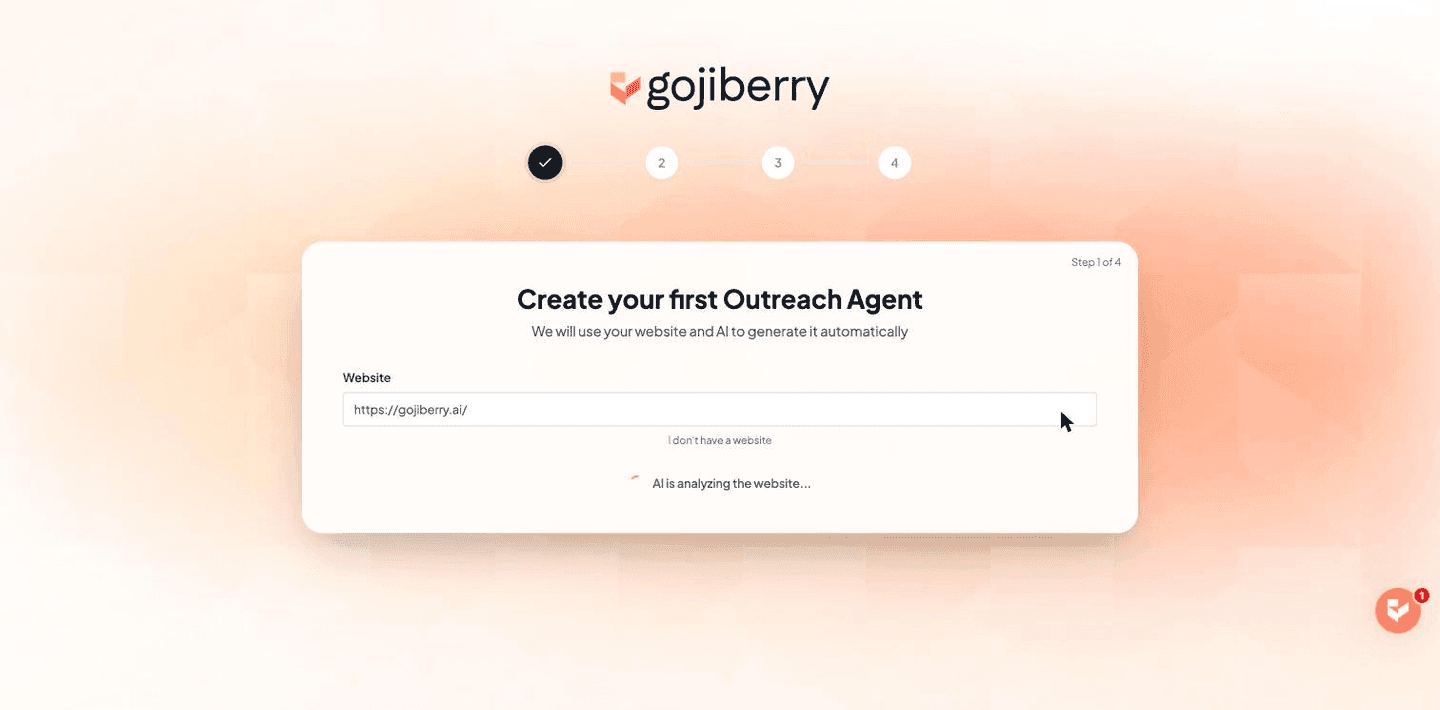
Step 1: Enter your website and let the AI analyze it
The first screen asks for your website. Paste your primary domain and click Analyze. Within a few seconds the AI fills in your company name, industry, a value proposition, key features, social proof points, and preferred language, all read from your site. In our test it nailed the company summary and positioning without any edits.
Step 2: Choose your outreach channels
Next you pick a strategy: Multichannel (LinkedIn plus email), which is recommended, or LinkedIn only. Multichannel lets the agent coordinate both channels in one sequence, which generally lifts reply rates. Choose LinkedIn only if email deliverability isn't ready yet.
Step 3: Connect LinkedIn and email
This step links the accounts the agent will send from. First select the country where you're located so Gojiberry assigns a stable proxy region for your LinkedIn account, then connect LinkedIn and your email inbox via the connect buttons. There's a Connect later option if you want to finish setup first, but outreach can't run until at least one channel is connected.
Step 4: Set your goal and message tone
The Goals screen pre-fills your customers' pain points from your website. You then choose a campaign goal, either starting conversations with warm prospects or booking qualified demos, and a message tone: Professional, Conversational, or Direct. This shapes how the AI writes every message, so pick the tone that matches how your buyers actually talk.
Step 5: Review the AI-built ICP
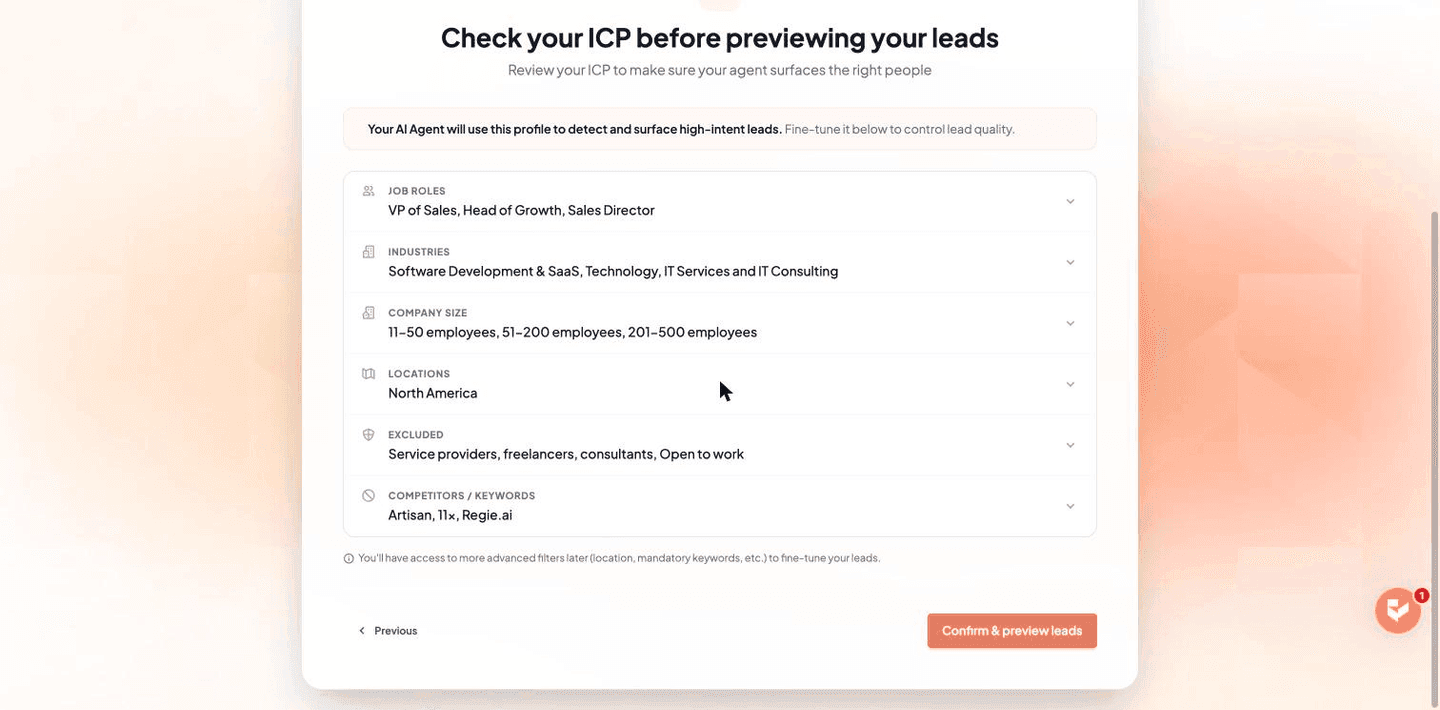
Now the second wizard builds your ideal customer profile, again pre-filled and labeled AI-generated. Don't accept it blindly; this is the single biggest lever on lead quality. Review each section and tighten it to one clear segment for your first campaign.
The ICP sections Gojiberry pre-fills
| Section | What it controls | What to check |
|---|---|---|
| Job roles / titles | The seniority and function of people contacted | Narrow to the exact buyer; the AI auto-matches similar titles, so you don't need to be exhaustive |
| Industries, location, company type & size | Which companies qualify | Confirm the size bands and region are realistic; defaults can be broad (multiple industries and size ranges) |
| Exclusions | Profiles to keep out | Keep filters like freelancers, consultants, and "open to work" excluded if they're not buyers |
| Competitors / keywords to avoid | Companies and terms to skip | The AI can auto-add competitors here; make sure it hasn't excluded anyone you actually want |
Step 6: Pick your intent signals and keywords
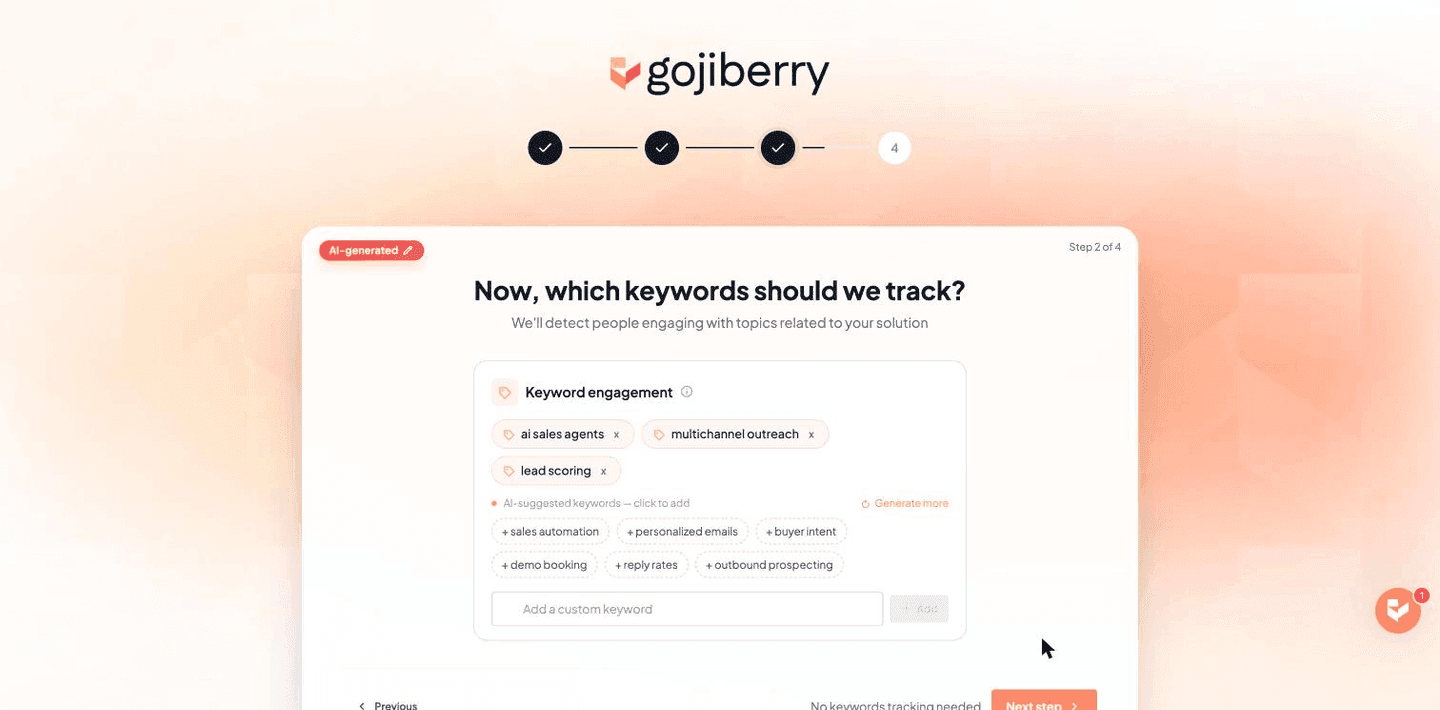
The third wizard is where Gojiberry earns its keep. Instead of a static list, it surfaces prospects from signals. Start with three to five that map to genuine buying intent rather than turning everything on. In our run it suggested tracking the most active profiles in the ICP, recent job changes, and companies that recently raised funds, plus topic keywords tied to the product and an option to track engagement with named competitors.
- check_circlePick signals that correlate with buying your specific offer, not just general activity.
- check_circleKeep keyword tracking tight; more keywords means more volume but weaker relevance.
- check_circleAdding a competitor to track surfaces people already engaging with that competitor on LinkedIn.
- check_circleYou can update all of this later, so don't overthink the first pass.
Step 7: Confirm the ICP and preview your first leads
Before it runs, Gojiberry shows a single summary of your ICP (roles, industries, size, locations, exclusions, competitors) to confirm. Click through and the agent immediately returns a first batch of real leads that match, with names, titles, companies, locations, and LinkedIn links. This is the moment the tool proves itself: in our test the agent surfaced dozens of matching leads, each tagged with a buying signal. A note on this screen makes the safety model explicit: none of these leads are contacted until you start the outreach yourself.
Step 8: Review the 7-step sequence before you launch
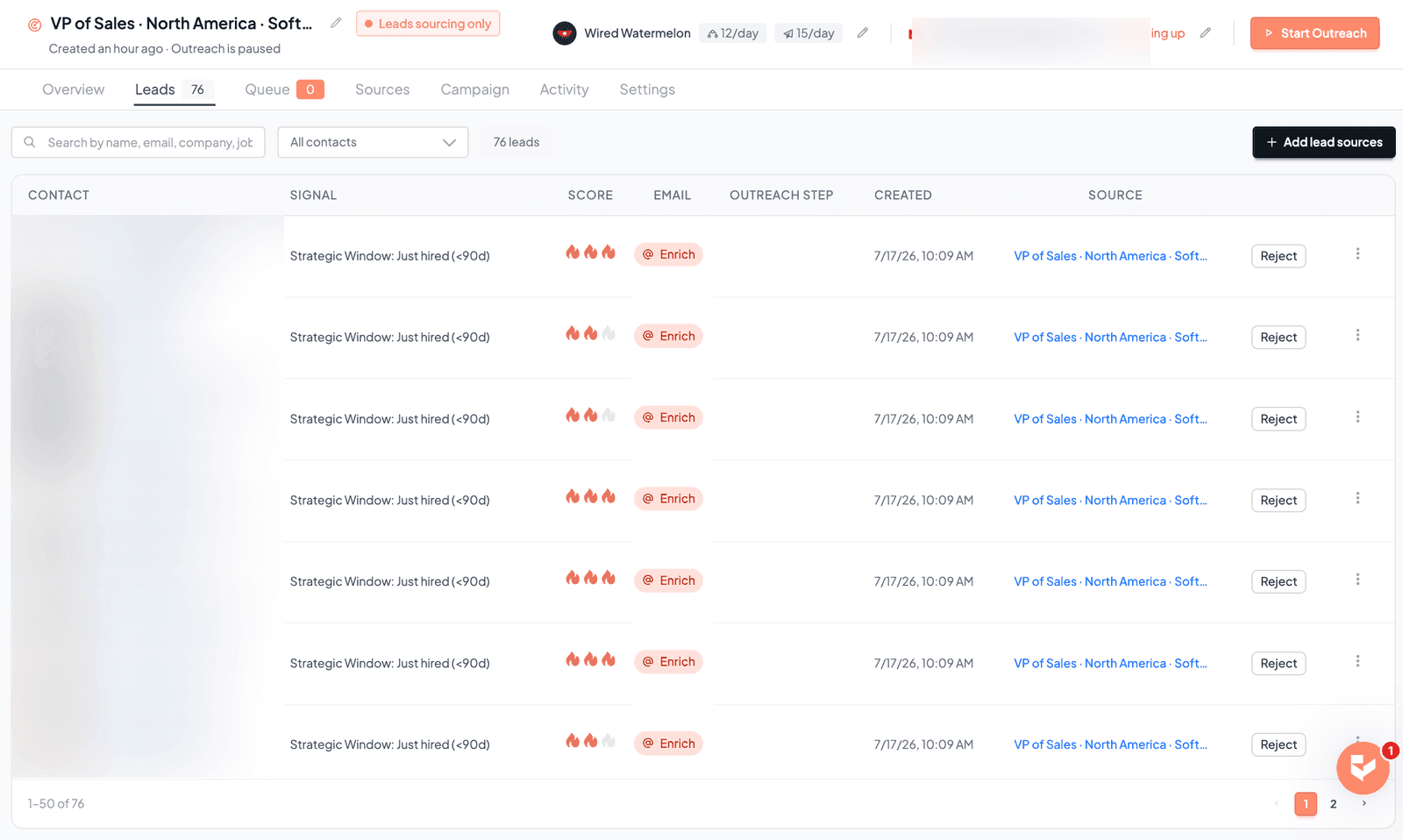
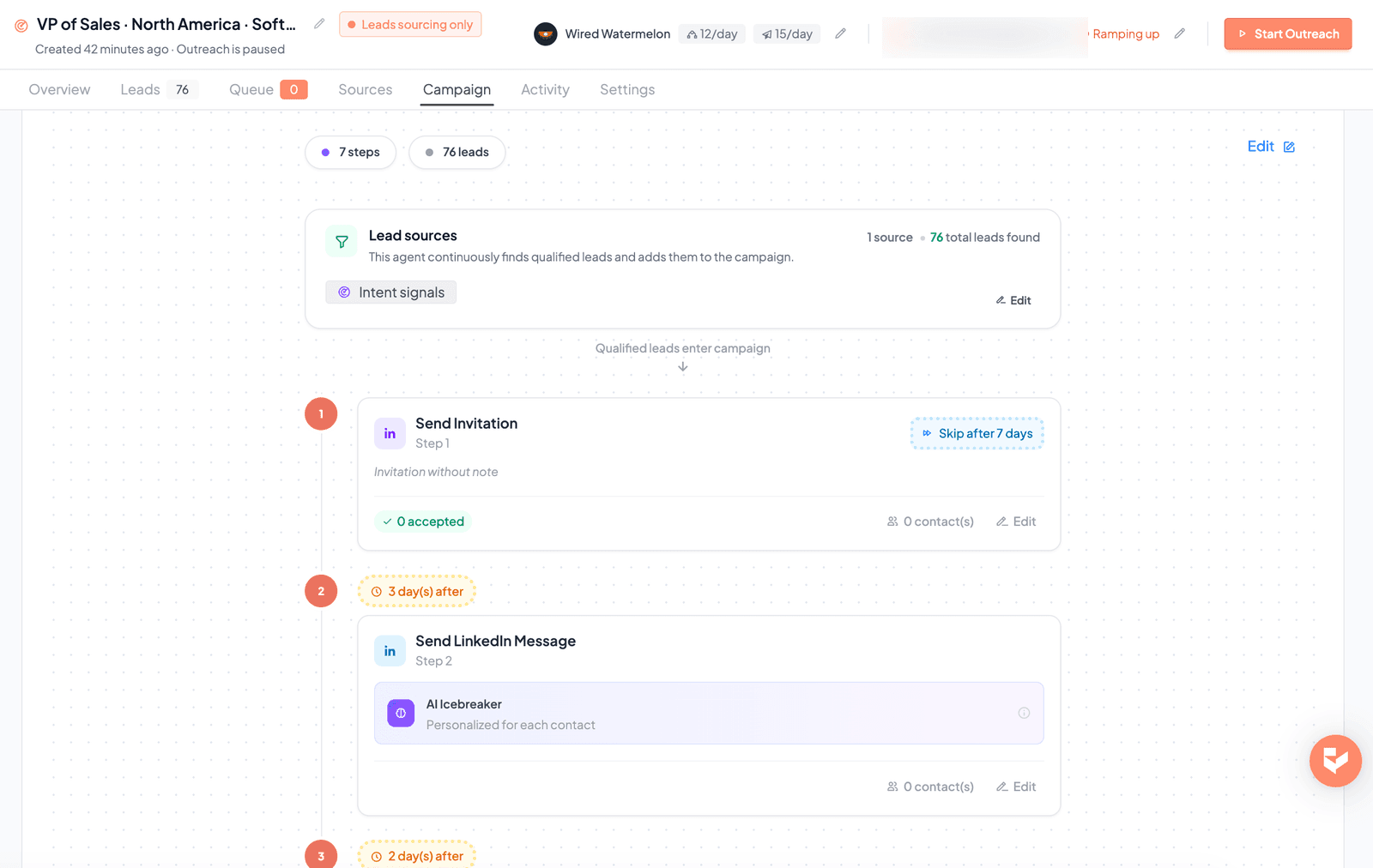
Clicking Launch my agent finishes onboarding and drops you into the campaign dashboard. Note the status carefully: the campaign starts in a leads-sourcing state with outreach paused. The agent begins finding more leads in the background, but it does not message anyone yet. Open the Campaign tab and read the full sequence the AI built before you touch Start Outreach.
The default multichannel sequence Gojiberry built for us
- Step 1: send a LinkedIn connection invitation (no note), with a rule to skip after 7 days if not accepted.
- Next: an AI "icebreaker" LinkedIn message, personalized per contact, a few days after the connection is accepted.
- Then: an automatic LinkedIn profile visit to warm up the contact.
- Then: an AI follow-up LinkedIn message.
- Then: an AI-personalized follow-up email a few days later (this is the multichannel handoff).
- Finally: a last LinkedIn follow-up, after which the contact reaches Campaign Complete.
- Every step has an Edit button, so review and adjust the copy and delays before anything sends.
Step 9: Measure what actually books meetings
The dashboard tracks Found, Contacted, Replied, and Interested. Vanity metrics like messages sent tell you nothing; watch the funnel that leads to revenue and compare it against your pre-Gojiberry baseline.
- check_circleConnection acceptance rate: a proxy for targeting and profile credibility.
- check_circleReply rate and reply quality: are responses from real, relevant buyers?
- check_circlePositive replies and booked meetings: the metric that actually matters.
- check_circleRejected or disqualified leads: high numbers mean your ICP or signals need tightening.
- check_circleTime saved on manual prospecting: the operational payoff for lean teams.
Gojiberry setup FAQ
helpHow long does Gojiberry take to set up?
Reaching a preview of real leads took about 3 to 5 minutes in our test, because the AI pre-fills your profile, ICP, and sequence from your website. Getting quality results still takes a first week of reviewing leads, editing messages, and tightening your ICP and signals.
helpDo I need a prospect list to start?
No, and that's the point. You enter your website, the AI builds an ICP, and it sources prospects from intent signals and lookalikes. You start from your positioning rather than a static list.
helpDoes clicking "Launch my agent" start sending messages?
No. Launching finishes onboarding and starts the leads-finder, but the campaign stays in a paused, leads-sourcing state. No one is contacted until you review the sequence and click Start Outreach yourself.
helpHow many intent signals should I turn on?
Start with three to five that map to real buying intent for your offer. Turning on everything increases volume but dilutes relevance, which hurts reply quality.
helpWill this get my LinkedIn account banned?
Gojiberry uses human-like limits and pacing to reduce risk, but no automation is risk-free. Keep volume conservative, warm up newer accounts, and keep messages relevant to stay on the safe side.
Sources and references
Editorial Integrity
ThousandDeals guides are researched and edited for practical software buyers. Affiliate relationships may support the site, but guide recommendations should stay grounded in visible product fit, limitations, and current deal context.